
TL;DR:
- Search engine crawling involves bots discovering and fetching web pages for indexing. Properly managing crawl limits, server health, and site structure is essential for search visibility and SEO success.
Search engine crawling is defined as the automated process where search engine bots discover, fetch, and prepare web pages for indexing and ranking. These bots, commonly associated with Googlebot, visit URLs, read page content, and pass that data to a search engine’s indexing system. Without crawling, your pages cannot appear in Google, Bing, or any other search engine. Understanding how this process works gives you direct control over your site’s visibility and SEO performance.
What is search engine crawling and how does it work?
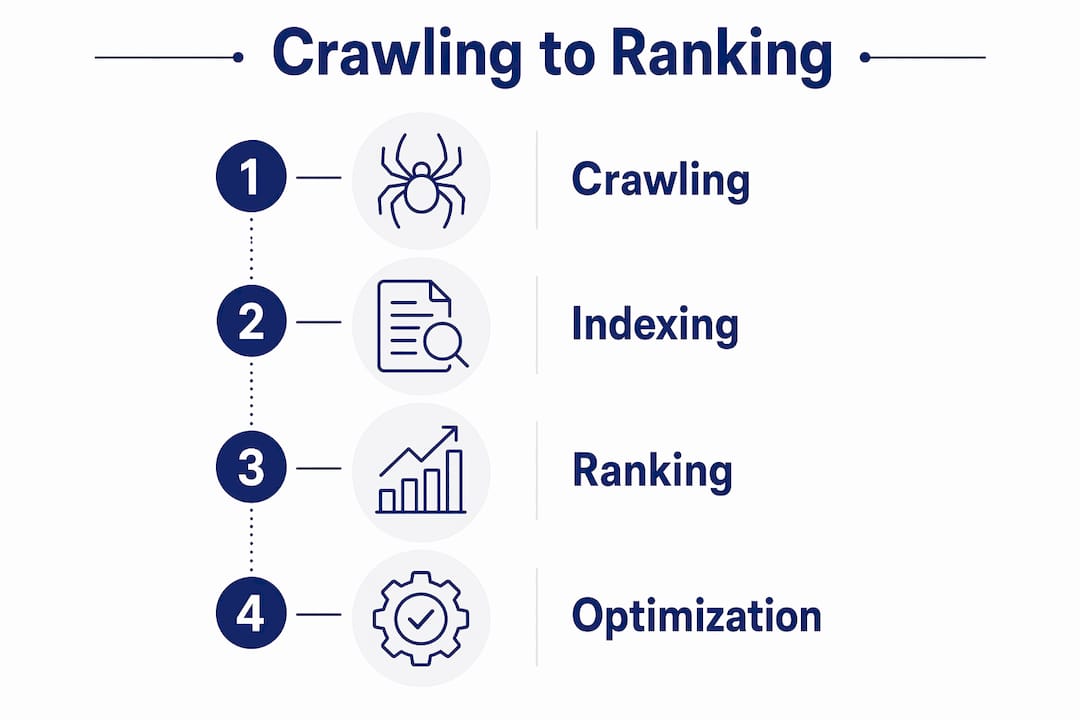
Crawling is the initial stage before indexing and ranking, where search engines fetch web page content to make it available for further processing. Think of it as a librarian scanning every book in a warehouse before deciding which ones belong on the shelves. No scan, no shelf space.
Googlebot is not a single crawler. Multiple distributed crawlers operate under a centralized infrastructure, including clients like Google Shopping and AdSense, all logging activity under the Googlebot name. This matters because different crawlers serve different purposes, and your server logs may show several distinct bot signatures from the same Google platform.
The crawling process works like this: a crawler discovers a URL, sends a request to your server, and fetches the response. Googlebot fetches up to the first 2MB of a supported resource for any individual URL. Content beyond that 2MB cutoff is not fetched, rendered, or indexed. This is one of the most overlooked technical limits in SEO.

After fetching those initial bytes, Google’s Web Rendering Service (WRS) executes client-side code like JavaScript and CSS, much like a modern browser, to extract the page’s final rendered text and structure. This means your page goes through two passes: a raw fetch and a rendered interpretation. Both matter for what Google ultimately understands about your content.
Pro Tip: Place your most critical content, including primary keywords and key headings, within the first portion of your HTML source. If your page loads heavy JavaScript before the main content, Googlebot may never process what matters most.
What is the difference between crawling, indexing, and ranking?
These three terms describe separate stages of how search engines work, and confusing them leads to costly SEO mistakes.
Crawling is discovery and fetching. The bot visits your URL and retrieves the page’s bytes. Indexing is analysis and storage. Google evaluates the crawled content, checks quality signals, and decides whether to add the page to its index. Ranking is the scheduling of results for specific queries, pulling from the index to serve the most relevant pages.
A page can be crawled but not indexed if indexing rules or quality checks reject it. Thin content, duplicate pages, and certain technical signals can all cause Google to crawl a page and then decline to store it. Crawling alone does not guarantee search visibility.
The controls you use for each stage are different, and this is where many site owners go wrong:
- robots.txt manages crawler access at the site or path level. It tells bots which URLs they are allowed to fetch.
- Meta robots tags (such as
noindex) operate at the page level and affect indexing, not crawling. - X-Robots-Tag HTTP headers serve the same purpose as meta tags but apply to non-HTML files like PDFs.
| Stage | What happens | Primary control |
|---|---|---|
| Crawling | Bot fetches page bytes | robots.txt |
| Indexing | Content is analyzed and stored | Meta robots, content quality |
| Ranking | Pages are scored for queries | On-page SEO, authority, relevance |
Crawling is discovery; indexing is storing. Treating them as the same thing leads to blocking tactics that harm visibility rather than protect it.
What factors influence crawl budget and how to optimize it?
Crawl budget is the allocation of crawling time and bandwidth that Google assigns to your site. It is not unlimited. Websites with better server health and more frequently updated content receive a higher crawl budget. Slow or error-prone sites get less.
Two factors determine your crawl budget:
- Crawl demand. How much does Google want to crawl your site? New content, updated pages, and strong backlink signals all increase demand. A site that rarely changes gives Google little reason to return often.
- Crawl capacity. How well can your server handle bot requests? Slow response times, frequent 5xx errors, and redirect chains all reduce the capacity Google is willing to use on your site.
When crawl budget runs out before Google reaches all your pages, newer or lower-priority pages get delayed. For large e-commerce sites or news publishers, this delay can mean pages miss ranking opportunities entirely. For smaller business sites, poor crawl budget usually signals deeper technical health problems worth fixing regardless.
Here are four practical ways to improve your crawl budget:
- Improve page speed. Faster server response times signal a healthy site and increase Google’s crawl capacity allocation.
- Fix crawl errors. Resolve 404 pages, broken redirects, and server errors. Each error wastes crawl budget on dead ends.
- Use robots.txt wisely. Block low-value URLs like admin pages, session parameters, and duplicate filter pages so crawlers spend time on content that matters.
- Submit an XML sitemap. A sitemap in Google Search Console tells Googlebot exactly which pages you want crawled and indexed, reducing guesswork.
Pro Tip: Check your crawl stats in Google Search Console under Settings > Crawl Stats. If you see a spike in crawl errors or a drop in pages crawled per day, that is your early warning signal to audit site health.
Crawl budget management is tied to site performance and server health in ways that directly affect SEO outcomes. Treat it as a technical health metric, not just an abstract SEO concept.
How can site owners control and guide search engine crawling?
You have more control over how bots access your site than most people realize. The tools exist at both the site level and the individual page level, and using them correctly protects your visibility rather than undermining it.
Robots.txt controls crawler access by specifying rules for allowing or disallowing URLs, either site-wide or at granular path levels for different bots. A well-structured robots.txt file is one of the first things a technical SEO audit should review.
Key controls and how to use them:
- Allow directives in robots.txt. Explicitly permit crawling of important sections, especially if a parent directory is blocked.
- Disallow directives in robots.txt. Block crawlers from low-value paths like
/cart/,/checkout/, or/wp-admin/. - Meta robots
noindex. Prevents a crawled page from being added to the index. Use this for thank-you pages, internal search results, and staging content. - Meta robots
nofollow. Tells crawlers not to follow links on that page. This does not block crawling of the page itself. - X-Robots-Tag headers. Apply noindex or nofollow instructions to PDFs, images, and other non-HTML resources.
The most common mistake site owners make is blocking crawling when they only intend to block indexing. Blocking crawling means Googlebot cannot fetch the page at all. If a page is disallowed in robots.txt but has a noindex meta tag, Google cannot read the noindex tag because it never fetches the page. The result is a page that may still appear in search results as a URL without a description, which is worse than a properly indexed page.
The second most common mistake is over-blocking. Some site owners add broad disallow rules to hide thin content, not realizing they are also blocking crawlers from discovering internal links that lead to valuable pages. Crawlers follow links. Block the wrong path and you cut off discovery of everything downstream.
Understanding search engines in 2026 means recognizing that crawler behavior has grown more sophisticated. Googlebot now renders JavaScript, processes structured data, and evaluates page experience signals during the crawl cycle. Your crawl controls need to account for all of that.
Key Takeaways
Search engine crawling is the prerequisite for every other SEO outcome: no crawl means no index, and no index means no rankings.
| Point | Details |
|---|---|
| Crawling precedes indexing | A page must be fetched before Google can evaluate and store it. |
| 2MB fetch limit is real | Place critical content early in your HTML to stay within Google’s fetch cutoff. |
| Crawl budget is finite | Improve server speed and fix errors to maximize the pages Google crawls per day. |
| Robots.txt controls access only | Use meta robots tags separately to control indexing at the page level. |
| Crawling does not guarantee ranking | Quality checks after crawling determine whether a page enters the index. |
What I’ve learned about crawling that most SEO guides skip
Most SEO content treats crawling as a checkbox: submit a sitemap, add a robots.txt, done. That framing misses the real leverage point.
The 2MB fetch limit is the detail that changes how I think about page structure for every client. If your page template loads 800KB of JavaScript libraries before the first line of body content, Googlebot may render a nearly empty page. I have seen technically sound content simply disappear from the index because it lived past the fetch cutoff. Fixing that is not a developer task. It is an SEO priority.
Crawl budget is the other area where I see business owners leave rankings on the table. A local business site with 50 pages does not need to worry about crawl budget the way a 50,000-page e-commerce site does. But when I audit a small site and find 300 crawlable URLs full of session parameters, tag archives, and printer-friendly duplicates, that is a problem. Google is spending its allocation on noise instead of signal.
The practical advice I give every client is this: audit your crawl logs at least quarterly. Google Search Console’s crawl stats report shows you exactly what Googlebot is spending time on. If the answer surprises you, that is your next SEO project. Pair that with schema markup to help Google understand your content structure after it crawls, and you have a solid technical foundation to build from.
Crawling is not glamorous SEO work. It does not generate the excitement of a viral content campaign or a big link acquisition. But it is the foundation. Get it wrong and nothing else you do in SEO performs the way it should.
— Mike
How Battleseo helps you get crawled, indexed, and found
If you have read this far, you already understand that crawling is the foundation of search visibility. The next step is knowing whether your site’s technical setup is helping or hurting that process.
Battleseo conducts technical SEO audits that go beyond surface-level checks. The team reviews crawl budget allocation, robots.txt configuration, fetch limits, and site speed to identify exactly where Googlebot is losing time on your site. For local business owners, that work connects directly to local SEO services that build the authority signals Google needs to rank you above competitors in your market. Battleseo works with one business per category per market, so the focus stays entirely on your growth. Learn more about how AI-powered SEO optimization fits into a complete crawl-to-rank strategy.
FAQ
What is web crawling in simple terms?
Web crawling is the automated process where search engine bots visit web pages, read their content, and follow links to discover new pages. It is the first step before a page can appear in search results.
Does crawling guarantee my page will rank on Google?
Crawling does not guarantee ranking or even indexing. A page must pass Google’s quality and indexability checks after being crawled before it enters the index and becomes eligible to rank.
What is the difference between crawling vs indexing?
Crawling is the act of fetching a page’s content. Indexing is the decision to store and categorize that content in Google’s database. A page can be crawled and still be rejected from the index.
How does Google’s 2MB limit affect my SEO?
Google fetches only the first 2MB of any page. Content beyond that cutoff is not processed or indexed, so placing your most important text and keywords near the top of your HTML source is critical.
How do I check if Google is crawling my site?
Google Search Console provides a Crawl Stats report under Settings that shows how often Googlebot visits your site, how many pages it crawls per day, and where it encounters errors.